
The short answer
- Choose Cron when a clock should start a short, bounded task and your application can handle missed or repeated attempts.
- Choose Workflows when several steps must retain progress, retry or wait for a person or external event.
- Choose Daemons when a containerized background worker must keep pulling work. A longer-lived process is not a durable job record.
These are not mutually exclusive: a schedule can initiate a durable process. Pick the trigger and recovery model separately. The guidance below combines Vercel's documented primitiveswith our editorial operating checklist, not a performance ranking.
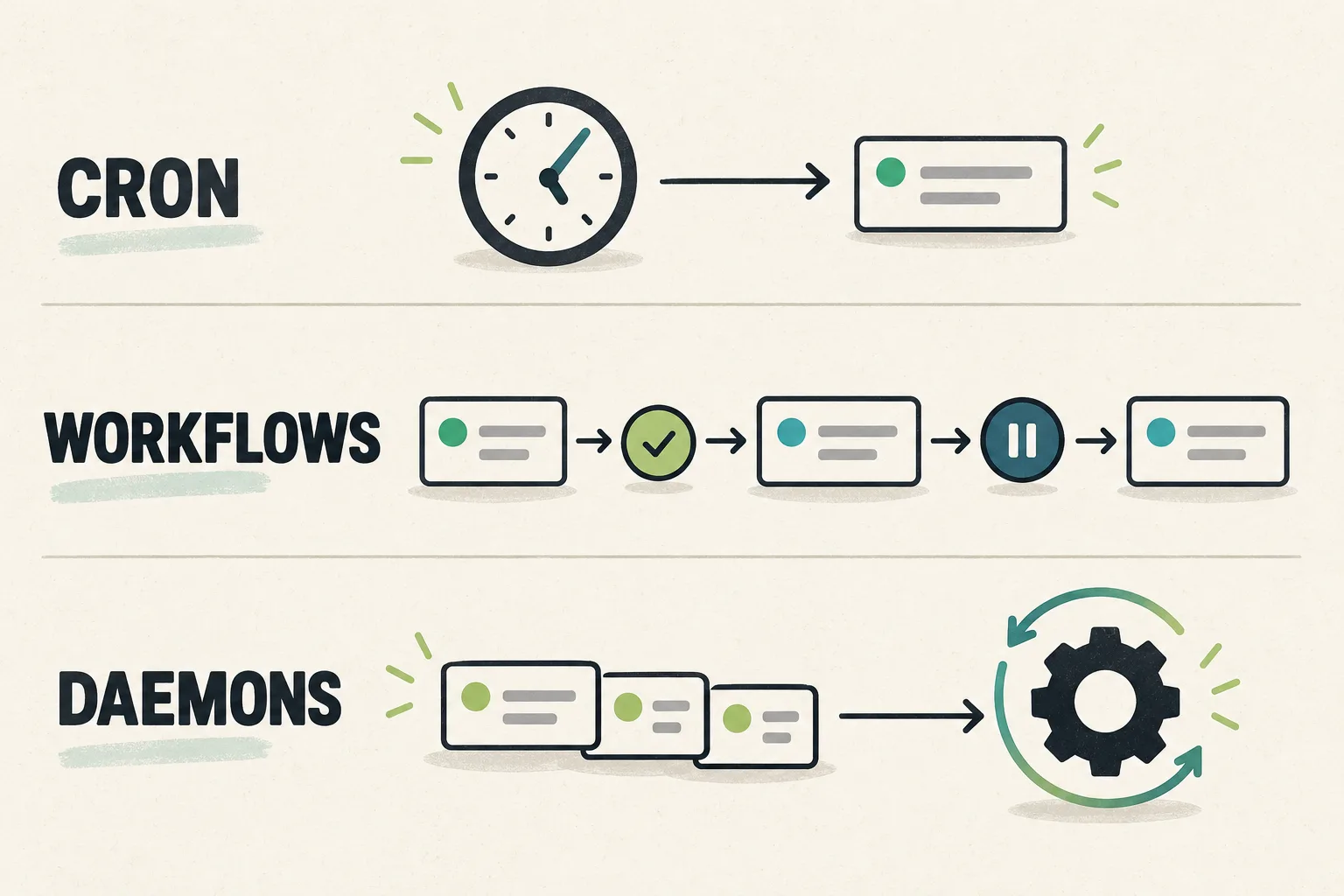
Vercel Cron vs Workflows vs Daemons
| Option | Good starting case | Recovery responsibility | Check before choosing |
|---|---|---|---|
| Cron Jobs | A short scheduled cleanup or daily refresh | A scheduled function invocation; your app owns recovery and duplicate protection. | Check timing precision and the invoked function's duration. |
| Workflows | An AI report, import or approval process with resumable steps | Persisted progress, step retries and waits; external side effects still need duplicate protection. | Split slow work into steps that fit Functions limits. |
| Daemons — public beta | An existing worker that continuously pulls from a queue | A running container process; durable job state belongs in a queue or database. | Plan for restarts, shutdown, quotas and production-only availability. |
Do not move a working, small scheduled job into a continuous worker merely because the worker is newer. Conversely, a process needing checkpoints and human approval is more than a cron expression. Begin with the smallest model that covers the failure you actually need to recover from.
Why does a Vercel cron job time out?
Cron calls a function; it does not grant unlimited execution. Vercel terminates an invocation exceeding its configured maximum duration. The applicable configuration and ceiling depend on runtime and plan, so an old universal “10-second limit” is not a reliable diagnosis.
- Find the failing layer. Match the scheduled request, function logs and downstream API response by time and job ID. A provider timeout and a function-duration timeout need different remedies.
- Measure a bounded batch. Record item count, API waiting time and completion time. Reduce batch size if one invocation attempts to process the entire backlog. Save a cursor outside process memory.
- Choose the next action. If a bounded batch fits the supported limit, review its duration setting. If work needs progress across multiple attempts, evaluate durable steps or a queued worker rather than only extending the timeout.
Cron does not automatically retry a failed invocation. Its delivery is best-effort and duplicate delivery can occur. A long run can also overlap the next scheduled run. Plan failure visibility and recovery explicitly; a successful HTTP response is not proof that all records were processed.
According to the Cron plan guide, Hobby supports once-daily jobs with an invocation window within the scheduled hour. Pro and Enterprise support per-minute schedules. Check the required precision before promising an exact-time report.
When Workflows fits a long-running AI task
Workflows retains execution progress across crashes and deployments. Its steps, sleeps and hooks separate work from waiting. That fits a process such as generating a draft, waiting for approval and then delivering a report.
For that hypothetical report, our suggested boundaries are: create a stable report ID; generate and save the draft; wait for approval; deliver using the same report identity; record the delivery receipt. These are design suggestions, not results from a deployed example.
The Workflow limits distinguish overall run duration from an individual step's runtime, which follows Functions limits. A single slow model call still needs a compatible timeout or the provider's supported asynchronous job/polling design. Wrapping it in a workflow alone is not a fix.
Keep retryable work separate from irreversible delivery. If an email is sent but recording the result fails, replaying the operation may send it again. Persisted workflow progress does not by itself prove exactly-once behavior at an external provider.
When a Vercel daemon fits a background worker
Daemons runs containerized processes that pull work continuously. Vercel maintains the configured instance count and restarts exited processes. This is relevant to an existing queue consumer—not a reason to convert every scheduled function into a container.
- Beta availability: Daemons is available on all plans within quotas, including Hobby. It is not an unlimited free worker.
- Testing boundary: The beta runs in production, not Preview Deployments or
vercel dev. Official guidance uses a local container image for development. - State boundary: There is no persistent local storage or autoscaling. Use external state and deliberately set instance counts.
- Traffic boundary: Daemons does not receive inbound HTTP or TCP traffic. Use a request-serving primitive for the public endpoint.
These restrictions come from the beta limits. During a deployment rollout, the process must handle shutdown. Our operating recommendation: stop claiming new work, preserve a recoverable checkpoint and acknowledge the queue item only after the durable result is saved. Verify your queue's own lease and redelivery rules; a restarted process is not a recovered job.
How to prevent duplicate jobs and repeated delivery
A concurrency lock and idempotency solve different problems. A lock limits simultaneous work; idempotency makes repeating the same business operation safe. Our recommended review applies to all three models, not just duplicate cron runs:
- Choose a business key. For a daily report, combine the authorized account, report type and reporting date. Do not generate a fresh identity every time you retry the same report.
- Claim work atomically. Ask the maintainer to enforce uniqueness and a recoverable lease in durable storage. A read-then-write check in process memory does not prevent two workers racing.
- Protect the external effect. Reuse a provider-supported idempotency key where available. Keep its retention window and scope in the incident record; a local success flag cannot close every network failure gap.
- Reconcile uncertainty. Store the provider receipt separately from job completion. If delivery is ambiguous, investigate before blind retries. A completed draft and a delivered report are distinct states.
Protect the trigger too. The Cron security guidedocuments checking the authorization header against a configured CRON_SECRET. Never place that secret in the client bundle, screenshots or a public error log. Authorization prevents unauthorized triggering; it does not replace duplicate protection.
Estimate background-job costs and verify before launch
Cron executions use Functions billing. Workflows adds events, data written and retained data, alongside function compute and queue usage. Daemons has plan quotas; Hobby stops daemon instances when its monthly Active CPU allowance is exhausted. None of these facts establishes which option is cheapest for your workload.
Write down jobs per day, items per job, attempts per item, API cost per attempt, compute time, stored output and retention. Add an owner for backlog alerts and manual recovery. Include third-party model, database and delivery charges in the AI app budget, not just the headline hosting plan.
Before launch, agree on harmless test data and an isolated environment. The checklist below is a proposed acceptance plan, not tests we ran. Do not send real customer email or create charges to demonstrate recovery.
- Normal completion: One job ID maps to the expected saved result and, separately, any delivery receipt.
- Duplicate attempt: Repeating the same business key does not create a second charge, email or imported record.
- Interruption: A controlled failure after saving progress has a documented resume or reconciliation path.
- Backlog and limits: A timeout, quota stop or unavailable provider produces a visible failure and a named recovery owner.
- Version change: Old and new job payloads remain compatible with current data. Review the deployment rollback checklist before using rollback as job recovery.
Record the chosen model, deployment revision, job identity, evidence links, unresolved failures and owner sign-off. Mark unchecked items UNVERIFIED. For the broader hosting decision, see the Vercel profile. No installation or account change is needed merely to use this selection guide.